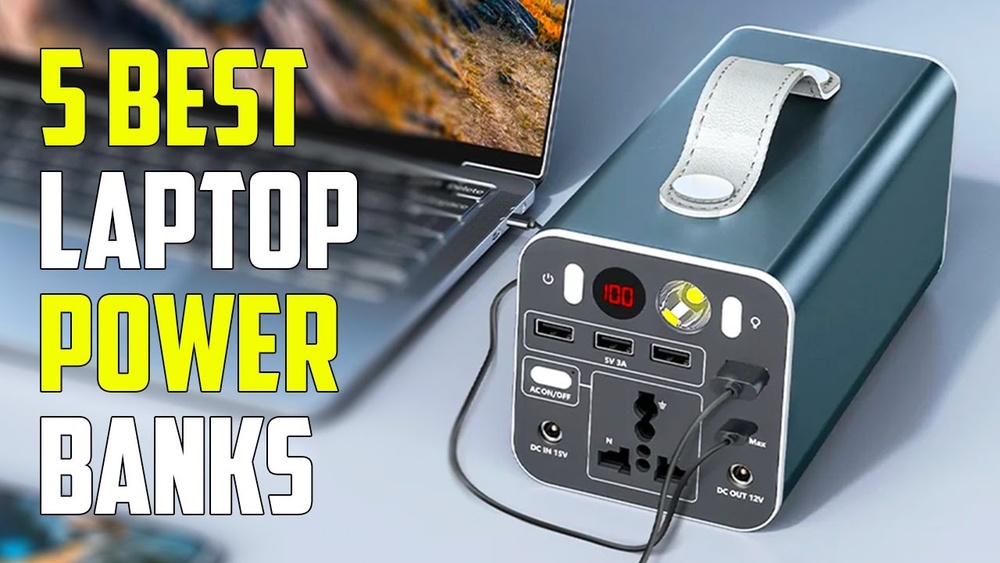
Finding a reliable power bank for your laptop can be more important than you think. Imagine you’re in a café, on a long flight, or at a conference, and your laptop’s battery is almost dead. A good laptop power bank can save your work, keep your meetings going, and help you stay productive anywhere. But with so many choices and technical details, picking the right one is not simple.
This article will guide you through everything you need to know about choosing the best power bank for laptops. You’ll learn what features actually matter, see real product examples, and get practical advice on how to avoid common mistakes. Whether you use a MacBook, a Windows laptop, or a Chromebook, you’ll find solutions for your needs.
Why Do You Need A Power Bank For Your Laptop?
Laptops are built for mobility, but battery life often falls short, especially during heavy use. Maybe you’re a student, a frequent traveler, or someone who works remotely. Power outlets aren’t always available. That’s where a laptop power bank becomes a game-changer.
Unlike smaller power banks for phones, laptop power banks deliver higher output and larger capacity. They can even charge some laptops while you use them, not just when they’re off or sleeping.
Common Situations Where A Laptop Power Bank Helps
- Long flights or train rides with no outlets
- Working at cafés or outdoors
- Business meetings or conferences
- Power outages at home
- Camping or remote travel
A good laptop power bank means you never have to stop working or worry about losing important data.
Key Factors To Consider Before Buying
Choosing the best laptop power bank is not just about capacity. Here are the main factors you should understand:
1. Capacity (mah Or Wh)
Capacity is measured in milliamp-hours (mAh) or watt-hours (Wh). Most laptops need at least 20,000mAh (about 74Wh) to get a full charge, but larger laptops or multiple devices may need more.
- Tip: Always check your laptop battery’s Wh rating. A power bank with less Wh than your laptop battery won’t give a full charge.
2. Output Power (wattage)
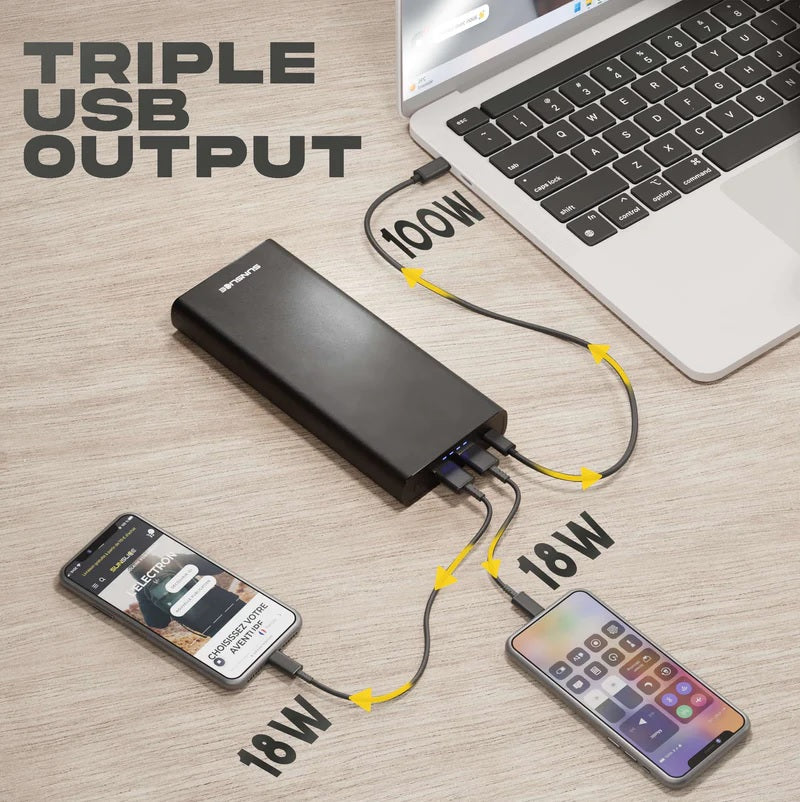
Laptops require more power than phones. Look for a power bank with at least 30W output for small laptops, and 45W to 100W for more demanding models. Many modern laptops use USB-C Power Delivery (PD), so make sure the power bank supports this.
3. Ports And Compatibility
Power banks come with different output ports:
- USB-C PD: The most common for laptops today
- USB-A: Good for phones and smaller devices
- DC Output: Some models support older laptops with barrel connectors
Check your laptop charging port and make sure the power bank supports the same type and voltage.
4. Size And Weight
Higher capacity means a heavier device. If you travel a lot, look for a balance between power and portability.
5. Pass-through Charging
Some power banks can charge your laptop while being charged themselves. This is called pass-through charging. It’s not available on all models, but it’s helpful if you want to keep all devices topped up at once.
6. Safety And Certifications
Look for safety features like overcharge protection, temperature control, and reputable certifications (like CE, FCC, RoHS). Cheap, uncertified power banks can damage your laptop or even catch fire.
7. Airline Compliance
Most airlines allow power banks up to 100Wh (27,000mAh). If you travel by plane, check the rules and your power bank’s label.
Top 10 Best Power Banks For Laptops In 2026
Here are ten of the most recommended laptop power banks available now. Each one offers a unique combination of capacity, features, and price. All these models are compatible with most popular laptops, including MacBooks, Dell XPS, HP Spectre, Lenovo ThinkPad, and more.
1. Anker 737 Power Bank (powercore 24k)
Capacity: 24,000mAh (86.4Wh)
Max Output: 140W USB-C PD
Ports: 2 x USB-C, 1 x USB-A
The Anker 737 delivers enough power to charge almost any laptop at full speed. With 140W output, it even supports power-hungry models like the MacBook Pro 16”. The digital display shows battery percentage, input/output power, and charge cycles—a feature beginners often miss but find useful for real-time monitoring.
It’s airline-compliant, compact for its power, and built with advanced safety features. However, it’s not the lightest at around 1. 4 lbs.
2. Baseus Blade 100w Power Bank
Capacity: 20,000mAh (74Wh)
Max Output: 100W USB-C PD
Ports: 2 x USB-C, 2 x USB-A
The Baseus Blade stands out for its ultra-slim design (just 0.7 inches thick), making it ideal for slipping into laptop bags. It delivers up to 100W, enough for most modern laptops, and supports simultaneous charging for up to 4 devices. The LED screen is handy for tracking output and remaining charge. It’s perfect for those who want strong performance and style.
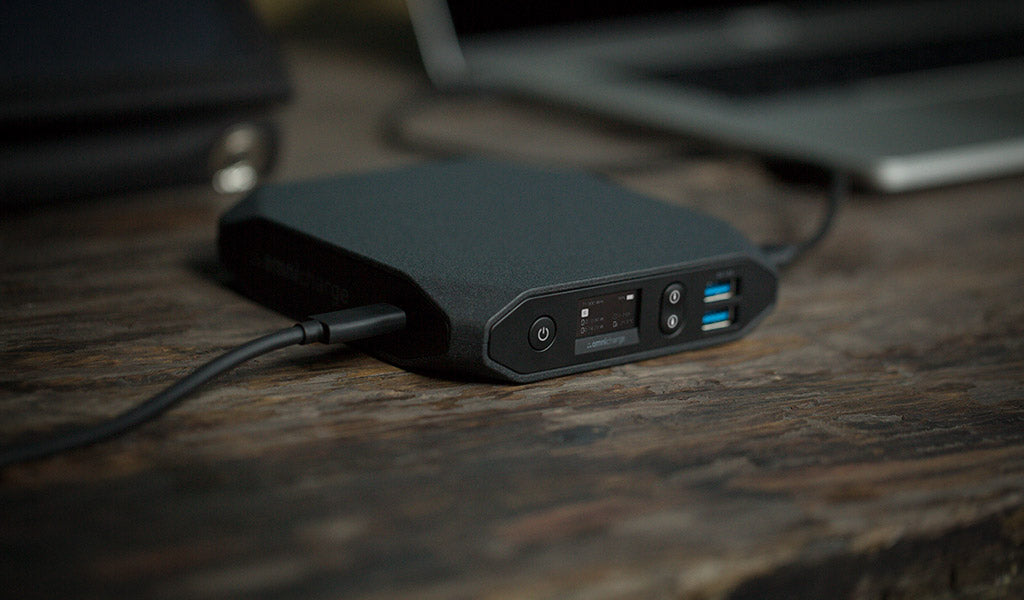
3. Omni 20+ By Omnicharge
Capacity: 20,000mAh (72Wh)
Max Output: 100W USB-C PD, 120W AC Outlet
Ports: USB-C, USB-A, AC Outlet, DC, Wireless Charging
Omni 20+ is a versatile choice for power users. It features a built-in AC outlet (like a regular wall plug), DC output, and wireless charging pad. Its OLED screen provides detailed battery and output info. It’s heavier and pricier but can power almost any device, including cameras and drones. Pass-through charging is also supported—a rare feature in this category.
4. Maxoak K2 Power Bank
Capacity: 50,000mAh (185Wh)
Max Output: 130W (various voltages)
Ports: 6 (including DC and USB)
If you need to charge multiple laptops or work off-grid for days, the MAXOAK K2 is a beast. With 50,000mAh, it offers more than double the capacity of most power banks, supporting up to 6 devices at once. It comes with 14 different laptop connectors, but it’s not airline-compliant due to its high Wh rating. Ideal for road trips, field work, or emergencies.
5. Zendure Supertank Pro
Capacity: 26,800mAh (96.48Wh)
Max Output: 100W USB-C PD
Ports: 4 x USB-C
Zendure SuperTank Pro is a premium option for professionals. It has a rugged aluminum body, a bright OLED screen, and supports up to 4 devices at the same time. Its firmware is upgradeable, and it offers advanced safety systems. At just under the airline limit, it’s travel-friendly but slightly heavier than most.
6. Ravpower Pd Pioneer 20000mah 80w
Capacity: 20,000mAh (74Wh)
Max Output: 80W USB-C PD
Ports: 1 x USB-C, 1 x USB-A
RAVPower’s PD Pioneer is valued for its compact design and reliable performance. It quickly charges most ultrabooks and MacBooks and is easy to carry. It includes smart protection chips but lacks features like a digital screen.
7. Goal Zero Sherpa 100pd
Capacity: 25,600mAh (94.7Wh)
Max Output: 100W USB-C PD
Ports: USB-C, USB-A, Wireless Charging
The Goal Zero Sherpa is popular with travelers and outdoor users. It offers wireless charging and a rugged design. Its clear display and pass-through charging make it practical for users who rely on multiple devices.
8. Mophie Powerstation Ac
Capacity: 22,000mAh (81Wh)
Max Output: 100W AC Outlet, 30W USB-C PD
Ports: AC Outlet, USB-C, USB-A
Mophie’s Powerstation AC provides a real AC outlet in a compact body. It’s great for laptops that don’t support USB-C charging. The build quality is strong, but the AC outlet reduces efficiency, so actual charging time might be shorter.
9. Krisdonia 50,000mah Laptop Power Bank
Capacity: 50,000mAh (185Wh)
Max Output: 130W DC, 18W USB-A
Ports: 3 x DC, 2 x USB-A, 1 x USB-C
This Krisdonia model is perfect for users with older laptops that use barrel connectors. It comes with a digital display and multiple adapters. Like the MAXOAK, it’s too large for air travel, but unbeatable for long off-grid sessions.
10. Shargeek Storm 2
Capacity: 25,600mAh (93.5Wh)
Max Output: 100W USB-C PD
Ports: 2 x USB-C, 1 x USB-A, 1 x DC
The Shargeek Storm 2 is unique for its transparent case and detailed display showing voltage, current, and battery health. It’s compatible with most laptops, supports pass-through charging, and is airline-safe. The design appeals to techies and those who like to monitor their gear closely.
Quick Comparison Of Top 5 Models
To help you see the differences at a glance, here’s a side-by-side look at the top 5:
| Model | Capacity | Max Output | Ports | Special Features | Weight | Airline Safe? |
|---|---|---|---|---|---|---|
| Anker 737 | 24,000mAh | 140W | 2x USB-C, 1x USB-A | Digital Display | 1.4 lbs | Yes |
| Baseus Blade | 20,000mAh | 100W | 2x USB-C, 2x USB-A | Slim Design | 0.8 lbs | Yes |
| Omni 20+ | 20,000mAh | 100W USB-C, 120W AC | USB-C, USB-A, AC, DC, Wireless | OLED, Pass-through | 1.4 lbs | Yes |
| MAXOAK K2 | 50,000mAh | 130W | DC, USB | Multiple Adapters | 2.7 lbs | No |
| Zendure SuperTank Pro | 26,800mAh | 100W | 4x USB-C | OLED, Upgradable | 1.3 lbs | Yes |
Credit: sunslice-solar.com
How To Choose The Right Power Bank For Your Laptop
With so many options, how do you pick the best one for your needs? Here’s a step-by-step guide.
1. Check Your Laptop’s Power Requirements
Look at your laptop’s charger. The label will show the wattage (for example, 65W, 90W, or 100W). Your power bank should meet or exceed this number. If you have a MacBook or USB-C laptop, check for Power Delivery (PD) support.
2. Estimate How Many Charges You Need
If you travel for days without access to outlets, choose a higher capacity (30,000mAh or more). For daily commutes, 20,000–26,800mAh is enough.
3. Decide Which Ports You’ll Use
- New laptops: USB-C PD
- Older laptops: DC or AC outlet
- Multiple devices: Look for more ports (USB-A, wireless charging)
4. Consider Size, Weight, And Design
Slim models are easier to carry in a backpack or briefcase. If you have a dedicated travel bag, larger models may be fine.
5. Look For Useful Features
Digital displays give more control than simple LED indicators. Pass-through charging is helpful if you often need to charge multiple devices at once.
6. Airline Rules
If you fly often, stick to power banks below 100Wh (about 27,000mAh). Larger batteries can be confiscated at security checks.
7. Brand Reputation And Warranty
Choose brands with good customer support and clear warranties. Cheap, unknown brands may not deliver promised specs or safety.
Common Mistakes To Avoid
Many buyers make these errors when choosing a laptop power bank:
- Ignoring Power Output: Not all power banks can charge laptops, even if the mAh is high. If the wattage is too low, your laptop may not charge or may charge very slowly.
- Missing Compatibility: Some laptops (especially older ones) need special voltages or connectors. Always check if the included cables or adapters match your device.
- Overlooking Airline Restrictions: Buying a huge power bank can be useless if you can’t bring it on planes.
- Cheap, Uncertified Models: Saving money on uncertified batteries can risk your laptop and your safety. Always check for safety certifications.
- Not Considering Pass-Through Charging: If you need to charge both your laptop and the power bank at once, make sure your model supports this feature.
Real-world Examples And Use Cases
Business Traveler
Maria travels weekly for client meetings. She uses a MacBook Air with USB-C charging. Her pick is the Anker 737 because it fits in her briefcase, is airline-safe, and fast-charges her laptop and phone at the same time. The digital screen helps her know when to recharge.
Outdoor Photographer
James spends days in remote locations. He uses a Dell XPS (65W) and charges camera batteries. The MAXOAK K2 is his choice. It has huge capacity, multiple adapters, and can charge his camera, drone, and laptop on one trip. He doesn’t need airline compliance, so size isn’t an issue.
Student On Campus
Linh is a university student. She carries her Lenovo ThinkPad and phone all day. The Baseus Blade is thin and lightweight, fits easily in her backpack, and gives enough power for a full day of classes and study sessions.
Practical Tips For Using Laptop Power Banks
- Recharge Regularly: Don’t let your power bank stay empty for weeks. Recharge after each use to keep it ready and extend battery life.
- Use Quality Cables: Poor cables can reduce charging speed or even damage devices. Use the cables that come with your power bank or certified replacements.
- Store at Room Temperature: Avoid exposing your power bank to high heat or freezing conditions.
- Check Firmware (if available): Some advanced models like Zendure allow firmware updates. Keep them updated for better performance and safety.
- Test Before Travel: Try charging your laptop at home before your first trip. Ensure compatibility and check for any issues.

Credit: everestkitchennc.com
Airline Travel And Power Banks: What You Need To Know
Flying with power banks is common, but there are strict rules:
- Carry-on only: You cannot check power banks in luggage.
- Max 100Wh: Most airlines allow up to 100Wh without approval.
- 100–160Wh: You may need airline approval; check before you fly.
- Labeling: The Wh rating must be clearly labeled on your device.
A power bank with 20,000–27,000mAh is usually safe for air travel. Larger models (like MAXOAK K2 and Krisdonia 50,000mAh) are not allowed on most flights.
Here’s a summary of common airline rules:
| Capacity | Allowed in Cabin? | Approval Needed? | Allowed in Checked Bag? |
|---|---|---|---|
| <= 100Wh | Yes | No | No |
| 100–160Wh | Yes | Yes | No |
| >160Wh | No | No | No |
For more, see FAA’s battery travel guide.
Charging Laptops With Power Banks: Non-obvious Insights
Many users don’t realize the following:
- Laptops may not charge if running demanding apps (like video editing or gaming) unless the power bank’s output exceeds the laptop’s peak power draw.
- Some laptops only charge via USB-C if the power bank supports specific voltage profiles (for example, 20V/5A). Always check your laptop manual or website for details.
Credit: eu.omnicharge.co
Frequently Asked Questions
What Is The Difference Between A Laptop Power Bank And A Phone Power Bank?
A laptop power bank offers higher capacity (usually over 20,000mAh) and outputs more power (30W to 100W or more). It often supports USB-C Power Delivery or AC/DC outputs, which are necessary for charging laptops. Phone power banks are usually smaller and provide less power, so they cannot charge most laptops effectively.
Can All Laptops Be Charged With A Power Bank?
No, not all laptops can be charged with a power bank. You need to match the output port and voltage of the power bank with your laptop’s charging requirements. Newer laptops with USB-C PD are easier to charge. Older laptops may need DC or AC output and special adapters.
How Many Times Can A Power Bank Charge My Laptop?
It depends on the power bank’s capacity and your laptop’s battery size. For example, a 20,000mAh (74Wh) power bank can usually give a full charge to a laptop with a 50Wh battery, but efficiency loss (about 10–20%) must be considered. Check both your laptop and power bank specifications for the most accurate estimate.
Is It Safe To Use Third-party Power Banks For My Laptop?
Yes, as long as the power bank is certified (CE, FCC, RoHS), matches your laptop’s voltage and power needs, and comes from a reputable brand. Avoid very cheap or unknown brands, as they may not have proper safety systems and could damage your laptop.
Can I Take A Laptop Power Bank On A Plane?
Most airlines allow power banks up to 100Wh (about 27,000mAh) in carry-on bags. Larger batteries require airline approval or are not allowed. Always check the airline’s rules and make sure your power bank has the Wh rating labeled.
—
The right power bank for your laptop can change how and where you work. By understanding your needs, checking key specs, and avoiding common mistakes, you can choose a power bank that keeps you productive anywhere. Whether you pick a slim, travel-friendly model or a high-capacity beast, you’ll be ready for any situation—no wall outlet required.