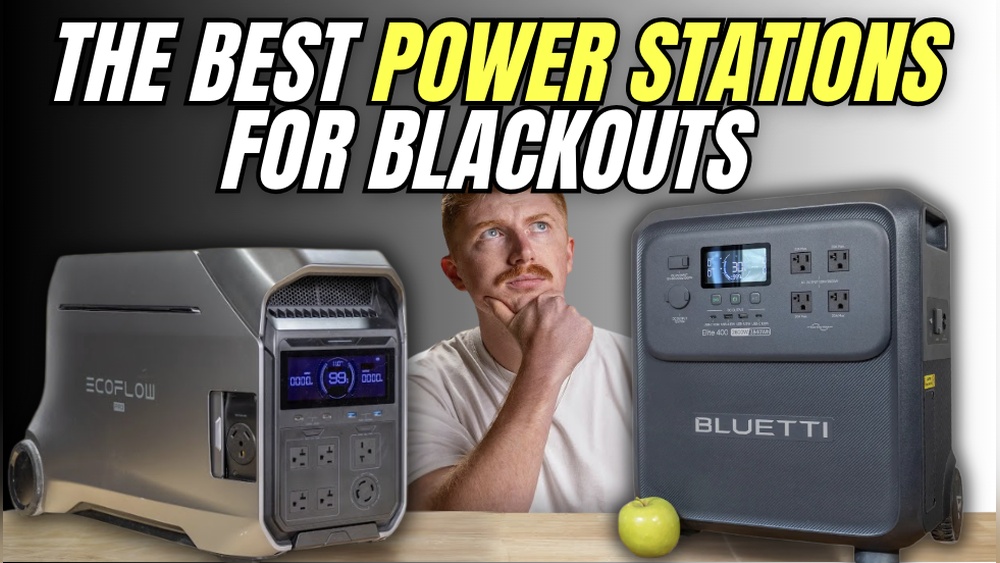
When the power goes out at home, it can feel like everything stops. Your phone dies, your Wi-Fi is down, and even small things like lights or a fan become impossible to use. In these moments, a good power bank is not just a gadget—it’s a lifeline. But not all power banks are made for home power outages. Some charge only phones, while others can run small appliances, lights, or even a laptop. The challenge is finding the best power bank for home power outage situations: one that’s powerful, reliable, safe, and easy to use.
This guide will help you understand which features really matter, which power banks perform best, and how to make sure you’re ready when the lights go out. We’ll look at real numbers, practical tips, and common mistakes people make when buying a power bank for emergency home use.
Why A Power Bank Matters During Home Power Outages
Power banks are portable batteries. They store electricity and let you charge your devices even when the main power is gone. For many people, the most urgent need is to keep their phone working—to call family, get updates, or use a flashlight. But in longer outages, you may need more: charging your laptop to work, running a small fan, or keeping a medical device working.
The right power bank can make a big difference:
- Communication: Keep your phone charged for calls, messages, or news.
- Safety: Power emergency lights, alarms, or even a small radio.
- Comfort: Run a fan or charge devices for entertainment.
- Work: Power a laptop or tablet so you can keep working.
Many people buy a cheap power bank thinking it will help in a blackout, only to find it can’t charge more than a phone once or twice. Choosing the right kind avoids disappointment and can even help in emergencies.
Key Features To Look For In A Home Power Outage Power Bank
Before looking at the best models, it’s important to know which features really matter for home use. Here are the most important factors:
Capacity (mah Or Wh)
Capacity is usually shown in milliamp hours (mAh) or watt hours (Wh). For home use, focus on Wh, as many large power banks list this. The higher the number, the more power you can store.
- A typical smartphone: 2,500–4,000 mAh (8–15 Wh)
- Tablet: 6,000–10,000 mAh (20–36 Wh)
- Laptop: 40–60 Wh
- Small fan or LED lamp: 5–20 Wh per hour
For real home backup, a power bank should have at least 20,000 mAh (74 Wh), but 40,000 mAh (148 Wh) or more is better, especially if you want to run small appliances.
Output Power (watts)
This tells you how much power the bank can deliver at once. For phones, 10–18W is fine. But for laptops or small appliances, look for 60W or higher on at least one output. Some “power stations” can deliver 100W or more.
Number And Type Of Ports
More ports mean you can charge several devices at once. Look for:
- USB-A: Common for most phones and small devices.
- USB-C: Good for modern phones, tablets, and laptops. Check if it supports Power Delivery (PD) for fast charging.
- AC Outlets: Some big power banks have a standard plug. This lets you run devices like a fan or lamp directly.
Recharge Speed And Method
How long will it take to recharge your power bank after use? Some large models can take 8–12 hours, but newer ones with USB-C PD input can charge much faster. Some can even recharge from solar panels.
Weight And Portability
For home use, size matters less than in travel, but if you want to move the power bank around, check the weight. Big “power stations” can weigh over 5 kg (11 lbs).
Safety Features
The best power banks have overcharge, overheat, and short-circuit protection. This is important for home use, especially if you have kids or will leave the bank charging overnight.
Extra Features
- Flashlight or emergency light
- Solar panel input (for off-grid charging)
- Display screen for battery % and output details

Credit: www.amazon.com
Top Power Banks For Home Power Outage
Let’s look at some of the best options, from portable models for phones and tablets to larger power stations that can power appliances. These are chosen for reliability, safety, and real-world usefulness during blackouts.
1. Anker 757 Powerhouse (1500w, 1229wh)
Anker is famous for reliable power banks, and the 757 PowerHouse is made for serious backup. With 1229 Wh, you can run a laptop for 16+ hours, charge phones over 100 times, or keep a small fridge running for several hours. It has 13 ports, including 2 AC outlets, multiple USB-A and USB-C ports, and even a car port.
- Capacity: 1229Wh (342,000 mAh)
- Output: Up to 1500W (AC), 100W (USB-C)
- Recharge: Fast recharge in 1.5 hours with AC input
- Weight: 19.9 kg (44 lbs)
If you want a power bank that covers nearly everything in a power outage, this is a top pick. The main downside is the price and weight, but for whole-room backup, it’s hard to beat.
2. Jackery Explorer 1000 (1000w, 1002wh)
Jackery is another trusted name in portable power. The Explorer 1000 gives 1002Wh capacity and three AC outlets, so you can plug in lamps, a TV, or even a CPAP machine. It has USB-A and USB-C ports, plus a car port.
- Capacity: 1002Wh (278,000 mAh)
- Output: Up to 1000W (AC), 18W (USB-C)
- Recharge: 7 hours (AC), can recharge with solar (sold separately)
- Weight: 10 kg (22 lbs)
People like its easy-to-carry handle and bright display. It’s popular for both home outages and camping.
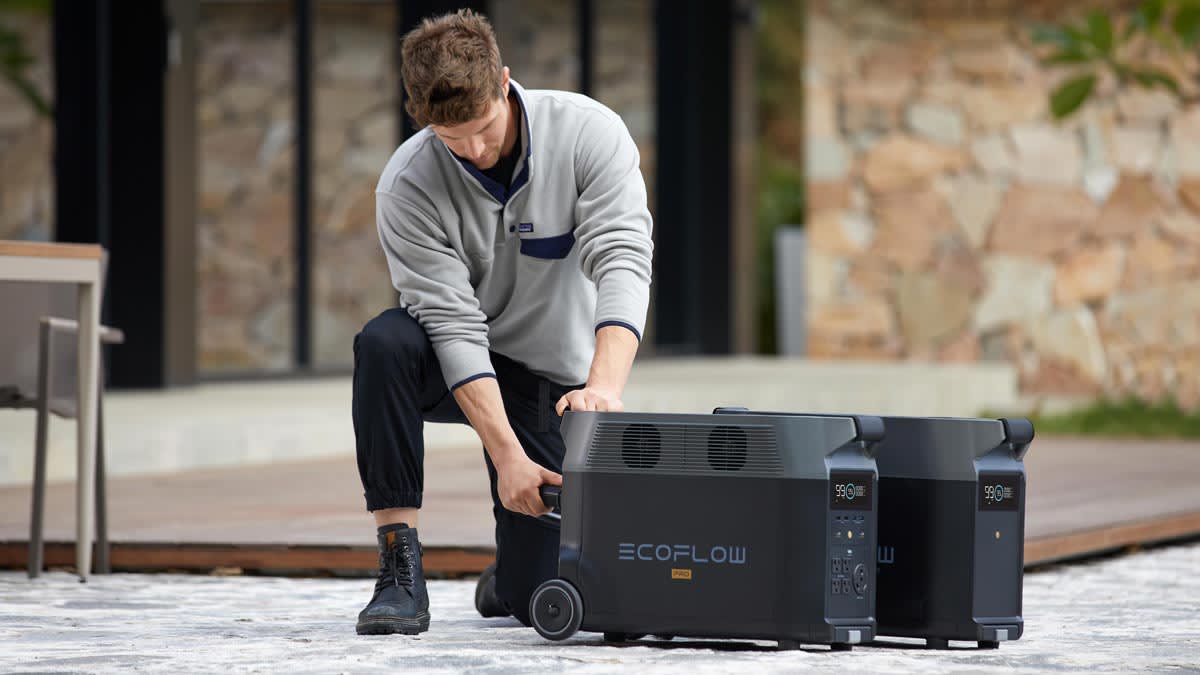
3. Ecoflow Delta 2 (1800w, 1024wh)
The EcoFlow DELTA 2 is famous for super-fast recharging—up to 80% in just 50 minutes. It supports high-wattage devices (like a kettle or coffee maker) and has a wide range of ports: AC, USB-A, USB-C, and DC.
- Capacity: 1024Wh (277,000 mAh)
- Output: 1800W (AC), 100W (USB-C)
- Recharge: 0–80% in 50 minutes (AC), solar charging supported
- Weight: 12 kg (27 lbs)
A good choice if you need to recharge the bank quickly between uses or want to power several devices at once.
4. Bluetti Eb70s (800w, 716wh)
Bluetti is known for robust, safe power stations. The EB70S has a solid 716Wh capacity, which is enough for running several devices for hours. It has four AC outlets, two 100W USB-C ports, and wireless charging.
- Capacity: 716Wh (193,000 mAh)
- Output: 800W (AC), 100W (USB-C)
- Recharge: 3–4 hours (AC), solar supported
- Weight: 9.7 kg (21 lbs)
This model is popular for its balance of price, portability, and features.
5. Goal Zero Yeti 500x (300w, 505wh)
For people who want something smaller but still powerful, the Yeti 500X is a good fit. It can charge phones, laptops, and small appliances. With USB-A, USB-C, and AC, it’s flexible.
- Capacity: 505Wh (136,000 mAh)
- Output: 300W (AC), 60W (USB-C)
- Recharge: 4 hours (AC), solar supported
- Weight: 5.9 kg (13 lbs)
Great for shorter outages or if you want something lighter to move between rooms.
6. Anker Powercore Iii Elite 25600 87w
If your main need is charging phones, tablets, or a laptop, a big “personal” power bank like the Anker PowerCore III Elite is ideal. It’s much lighter than a power station, but with 87W output, it can charge even large laptops.
- Capacity: 25,600 mAh (93.5Wh)
- Output: 87W (USB-C PD)
- Ports: 2x USB-A, 1x USB-C
- Weight: 0.57 kg (1.26 lbs)
Fits easily in a bag or drawer. It won’t run AC appliances but is perfect for keeping your devices alive during a blackout.
7. Zendure Supertank Pro (100w, 26,800 Mah)
The Zendure SuperTank Pro is a favorite among tech users for its compact size and high power. It has four USB-C ports, all supporting up to 100W, so you can charge several laptops or tablets at once.
- Capacity: 26,800 mAh (96.5Wh)
- Output: 100W (USB-C PD)
- Weight: 0.58 kg (1.27 lbs)
Its clear OLED screen shows power use and battery left, making it easy to manage during a blackout.
8. Maxoak Bluetti Ac50s (300w, 500wh)
A mid-size power station like the Bluetti AC50S gives you more power than a personal bank but is still portable. It has two AC outlets, USB-C, USB-A, and even a wireless charging pad.
- Capacity: 500Wh (135,000 mAh)
- Output: 300W (AC), 45W (USB-C)
- Recharge: 6–8 hours (AC), solar supported
- Weight: 6.2 kg (13.6 lbs)
Good for small appliances, lights, or several devices at once.
9. Ravpower Pd Pioneer 20000mah 60w
If you want something smaller and lighter, the RAVPower PD Pioneer is a strong choice. With 60W output, it can charge most laptops and has enough capacity for several phone charges.
- Capacity: 20,000 mAh (74Wh)
- Output: 60W (USB-C PD)
- Ports: 1x USB-C, 2x USB-A
- Weight: 0.37 kg (0.82 lbs)
Ideal for basic needs in short outages or as a backup for your main power bank.
10. Flashfish 200w Portable Power Station (150wh)
The FlashFish 200W is a good entry-level “mini” power station. It’s small, affordable, and has both AC and DC outputs, plus USB ports. Great for powering a lamp, fan, or charging devices.
- Capacity: 150Wh (40,500 mAh)
- Output: 200W (AC), 18W (USB)
- Recharge: 5–6 hours (AC), solar supported
- Weight: 1.8 kg (4 lbs)
A smart choice for people on a budget or who want something simple.
Side-by-side Comparison Of Key Models
To help you compare, here’s a quick look at the most important features of some top models.
| Model | Capacity (Wh) | Max Output (W) | AC Outlets | Weight (kg) | Recharge Time (AC) |
|---|---|---|---|---|---|
| Anker 757 PowerHouse | 1229 | 1500 | 2 | 19.9 | 1.5 hrs |
| Jackery Explorer 1000 | 1002 | 1000 | 3 | 10 | 7 hrs |
| EcoFlow DELTA 2 | 1024 | 1800 | 6 | 12 | 0.8 hrs (80%) |
| Bluetti EB70S | 716 | 800 | 4 | 9.7 | 3-4 hrs |
| Yeti 500X | 505 | 300 | 2 | 5.9 | 4 hrs |
Choosing The Right Power Bank For Your Needs
With so many choices, how do you pick the best power bank for home power outage situations? Start with these questions:
1. What Do You Need To Power?
If it’s just a phone and tablet, a high-capacity personal power bank is enough. For laptops, lamps, or small appliances, look for a power station with AC output.
2. How Long Do You Want Backup?
Short blackouts (1–2 hours) need less capacity. For 6–12 hours or longer, get the largest capacity you can afford and carry.
3. How Many Devices At Once?
If you want to charge several devices, make sure the bank has enough ports and high total output.
- How fast do you need to recharge the power bank?
If you have frequent outages, fast recharge is useful. Some models recharge in less than 2 hours.
5. Portability Vs. Power
A big power station gives more backup but is heavy. Small banks are easy to move but limited in power.
Example Scenarios
- Family with phones, tablets, and a laptop: A mid-size power station (Jackery Explorer 1000 or Bluetti EB70S).
- Single person, needs only phone and laptop charging: Anker PowerCore III Elite or Zendure SuperTank Pro.
- Need to run a fan, lamp, and Wi-Fi router in a blackout: EcoFlow DELTA 2 or Anker 757 PowerHouse.
- Short blackouts, emergency only: RAVPower PD Pioneer or FlashFish 200W.
Real-world Tips For Using Power Banks During Outages
Many people buy a power bank but use it the wrong way during blackouts. Here are tips that make a real difference:
- Keep your power bank fully charged at all times. Set a reminder to top it up every week.
- Use low-power settings on devices (battery saver mode, dim screen, airplane mode if possible).
- Don’t drain the power bank to zero if you can avoid it. Lithium batteries last longer if you keep them above 20%.
- Rotate usage between devices. Charge the device you need most first.
- Test your power bank before an outage. Make sure all ports work and you know how to use AC outlets if the model has them.
- Plan for recharging. If your area has long blackouts, consider a solar panel (many brands offer them as accessories).

Credit: www.popularmechanics.com
Common Mistakes When Buying A Power Bank For Home Use
It’s easy to get confused by all the options. Here are mistakes beginners often make:
- Buying only by mAh: Bigger numbers don’t always mean more usable power. Focus on Wh for large banks.
- Ignoring output limits: Some banks have high capacity but low output, so they can’t run laptops or AC devices.
- Overlooking safety features: Cheap, no-name banks might overheat or even catch fire.
- Forgetting about recharge time: Some big banks take 10+ hours to recharge, which can be a problem if outages are frequent.
- Not checking port types: If your laptop needs USB-C PD, make sure the bank supports it at the right wattage.
Safety And Battery Care
All lithium batteries should be treated with care, but large power banks need extra attention.
- Keep away from water and high heat
- Do not open or try to repair
- Unplug when fully charged
- Store in a cool, dry place
- Replace if the battery swells, leaks, or smells
If you follow these tips, your power bank will be safe and ready when you need it.
The Value Of Solar Charging
Some power banks and power stations support solar charging. If you have long outages or live in areas with frequent blackouts, this can be a game-changer. Most brands sell foldable solar panels that can recharge your bank in a few hours (depending on sun and panel size).
- Not all power banks support direct solar input. Check before buying.
- Solar recharging is slower than AC, especially on cloudy days.
- Solar is best used as a backup, not the main charging method.
What About Generators?
Some people wonder if they should buy a generator instead. Generators are great for running big appliances, but they are noisy, need fuel, and can be dangerous indoors. Power banks and power stations are silent, safe, and maintenance-free. For most people’s needs during a blackout, a good power bank is easier and safer.
If you want to compare the two, here’s a quick view:
| Feature | Power Bank/Station | Generator |
|---|---|---|
| Noise | Silent | Loud |
| Fuel Needed | No | Yes (gasoline/diesel) |
| Indoor Use | Safe | Not safe |
| Maintenance | Low | High |
| Best for | Phones, laptops, small appliances | Large appliances, whole house |
Two Insights Many Buyers Miss
1. Don’t Just Buy The Largest Power Bank
A huge power station looks impressive, but if you only need to charge your phone and tablet, it’s wasted money and space. Assess your real needs and buy the size you’ll actually use.
2. Check Your Home Devices’ Power Needs
Before buying, look at the wattage of your most important devices. Many small fans, routers, and lights use less than 20W, so even a mid-size power station can run several at once. But a microwave or heater will need a full generator.
Where To Buy And What To Pay
Most big brands sell direct from their websites and on Amazon or other online stores. Prices range from $50 for small personal banks to $1,000+ for high-end power stations.
- Watch for sales during storm season or Black Friday.
- Only buy from trusted brands to avoid safety risks.
For more details on battery technology and safety, see this helpful page from Wikipedia.
Frequently Asked Questions
What Size Power Bank Do I Need For A Home Power Outage?
It depends on your needs. For just phones and tablets, 20,000–30,000 mAh (70–100 Wh) is fine for a day or two. If you want to run a laptop or small appliances, look for at least 500 Wh or more.
Can I Use A Power Bank To Run A Wi-fi Router Or Fan?
Yes, if the power bank has an AC outlet or the right DC output, you can plug in a router, small fan, or even a modem. Check the device’s wattage and compare it to the bank’s max output.
How Long Does A Large Power Station Last During A Blackout?
A 500 Wh station can run a 10W device for about 50 hours. If you run several devices at once or use higher wattage (like a laptop), it will run out faster. Always check your devices’ power use.
Is It Safe To Leave A Power Bank Charging Overnight?
Most modern power banks have overcharge protection and are safe to leave plugged in. But always follow the brand’s safety instructions and unplug if the bank feels hot or smells strange.
Can I Recharge A Power Bank With Solar Panels During A Blackout?
Many larger power stations support solar charging (sold separately). It’s slower than wall charging but is a good backup if you have long outages and sunlight.
Stay Powered, Stay Safe
A good power bank is one of the best ways to prepare for home power outages. It keeps you connected, safe, and comfortable until the lights come back on. By understanding what to look for and how to use your power bank wisely, you’ll be ready for any blackout—no matter how long it lasts.
Make your choice carefully, keep your power bank charged, and you’ll always have a little extra light when you need it most.
Credit: www.consumerreports.org